
Every small business wants good communication. Teams need to talk with each other, answer customer calls, and stay connected even when working from different places. This is why many business owners consider getting a small business phone system. But with so many choices, it becomes hard to know if the investment is truly worth it. Some systems come with advanced tools that look impressive but may not be useful for every team. Others seem simple but fail to support business growth.
So the big question is: Are you paying for features you don’t actually need? Or is a modern phone system the tool that finally helps your business run smoother? The answer depends on how your team works, what your customers expect, and which features truly make a difference.
Understanding What a Small Business Phone System Does
How Modern Phone Systems Support Daily Work
A small business phone system helps teams:
- Take and transfer calls
- Talk to customers without missing messages
- Use business numbers on computers or mobile phones
- Manage voicemail in an organized way
These systems give small businesses the same communication power as large companies, but in a simpler package.
Why Small Businesses Need More Than a Basic Phone Line
A basic phone can make calls, but it lacks tools that help businesses stay efficient. Features such as call routing, voicemail-to-email, or auto-attendants help small teams handle more calls with less effort. This is especially useful for growing businesses or busy customer service teams.
Key Features That Improve Communication
Many systems offer tools like:
- Call forwarding
- Mobile apps for remote work
- Custom greetings
- Automated menus
- Call recording
These features make it easier to stay connected and look professional.
Types of Small Business Phone Systems
Cloud-Based VoIP Systems
A VoIP system works through the internet. It lets teams use:
- Smartphones
- Laptops
- Desk phones
- Tablets
VoIP is popular because it is flexible and usually cheaper than traditional systems.
On-Premise PBX Systems
A PBX system uses hardware stored at your office. It offers strong control but comes with higher setup and maintenance costs. Very small businesses might not need this option.
Hybrid Phone Solutions
Some companies mix VoIP and PBX features. This helps businesses move slowly from old systems to modern internet-based solutions.
Essential Features Small Businesses Should Look For
Auto-Attendant and Call Routing Tools
An auto-attendant answers calls with a simple menu. It can:
- Direct callers to the right person
- Reduce wait times
- Handle calls when staff is busy
This makes your business look organized and professional.
Voicemail-to-Email and Unified Messaging
These tools send voicemail recordings straight to email. This helps teams respond faster, track messages, and avoid missing important calls.
Mobile Apps and Remote Access
Remote work is common today. A phone system that works on mobile devices helps employees answer calls from anywhere. This flexibility helps small teams stay connected without needing multiple personal numbers.
Benefits of Upgrading to a Modern Phone System
Lower Costs and Higher Call Quality
Cloud phone systems often cost less each month. They also offer clearer call quality, fewer dropped calls, and better reliability.
Better Support for Remote Teams
Remote workers can use the same business number from home or on the go. This keeps communication smooth and consistent.
Improved Customer Experience
A strong phone system helps customers:
- Reach the right person
- Avoid long waits
- Get answers faster
Happy customers stay loyal and tell others about their experience.
Common Problems Solved by Small Business Phone Systems
Missed Calls and Poor Organization
A modern phone system helps small teams manage many calls at once. Staff can transfer calls, share voicemail, and stay organized.
Limited Growth With Old Systems
Older phone lines may not support more users. Modern systems scale easily, helping your business grow without extra hardware.
Complicated Call Handling
Without a proper system, callers may get lost or hang up. Structured call flows fix this problem and make your business look more reliable.
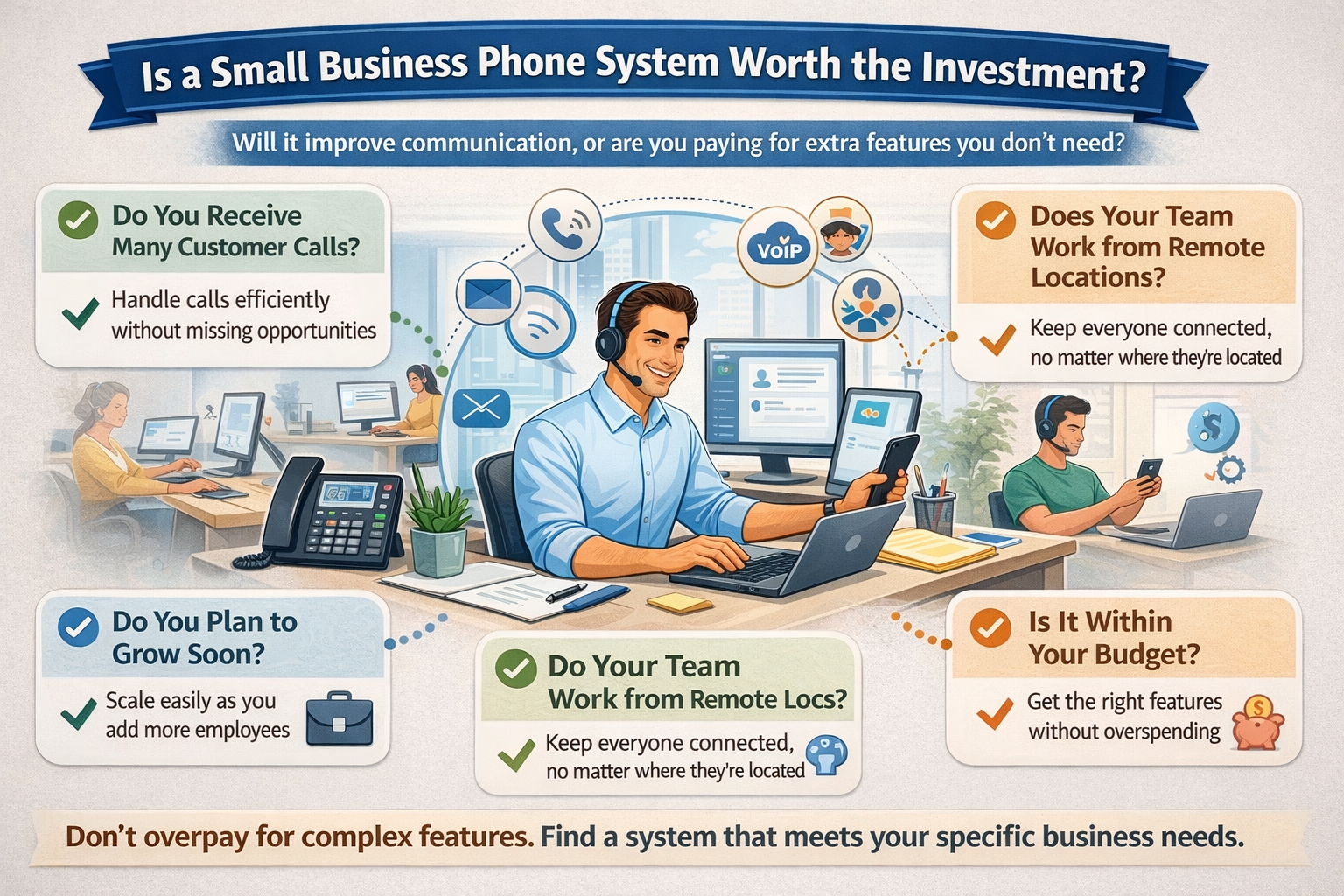
Are You Overpaying for Features You Don’t Need?
Not Every Business Needs Advanced Tools
Some systems offer features like:
- Call analytics
- Video conferencing
- Call recording
- Multi-level auto-attendants
These are great for larger teams, but not all small businesses use them. Paying for advanced tools you never use can raise your monthly cost.
Your Business Size Matters
A two-person team does not need the same communication setup as a twenty-person team. Choosing the wrong plan can make you spend money on unused features.
Free or Low-Cost Tools Might Already Cover Your Needs
Some small teams communicate mainly through:
- Messaging apps
- Mobile phones
If phone calls aren’t a big part of your daily work, you may not need an advanced system.
Feature Bundles Can Be Misleading
Phone system providers often include features in bundles. You may end up paying for:
- International calling tools
- Advanced conferencing
- CRM integrations
if your business doesn’t use them. It’s important to choose a plan that matches your actual needs.
When a Small Business Phone System Is Worth the Investment
You Receive Many Customer Calls
If your business handles many calls each day, a phone system helps reduce chaos and improve response time.
You Need a Professional Image
A small business with a polished phone system appears more trustworthy. Auto-attendants, greetings, and clean call flows help create a strong impression.
Your Team Works from Different Locations
Remote workers, field staff, and hybrid teams need tools to stay connected. A phone system brings everyone together.
You Want to Avoid Missed Sales Opportunities
Every missed call is a missed chance. Phone systems reduce missed calls by routing them to the right person quickly.
You Plan to Grow Soon
A scalable phone system makes it easier to add new employees without restarting your entire communication setup.
How to Choose the Right Phone System
Consider Your Monthly Budget
Look at:
- Subscription fees
- Add-on costs
- Hardware needs
- Contract terms
Choose a plan that fits your cash flow.
Count the Number of Users
Pick a system that can grow with your team without making you switch providers later.
Focus on the Features You Actually Need
Ask yourself:
- Do I need call routing?
- Do I need voicemail-to-email?
- Do I need mobile access?
This prevents overspending.
Check Integration Options
Some businesses rely on tools like:
- Email platforms
- CRM software
- Scheduling apps
Choose a phone system that works well with your existing tools.
Best Practices for Setting Up Your System
Train Employees the Right Way
A system is only effective if your team knows how to use it. Training makes the transition easy.
Create a Simple Call Flow
Keep your phone menu clear and short. This helps customers reach the right person faster.
Review Security Settings
VoIP systems should have strong passwords and protection against spam calls.
Conclusion
A small business phone system can be a powerful tool that boosts communication, improves customer service, and supports business growth. But it can also become an unnecessary expense if you choose features you don’t need or a plan that doesn’t match your team’s size. The key is to understand how your business works, what your customers expect, and which tools truly support your daily workflow.
For growing teams, busy customer service lines, or companies handling many calls, a modern phone system is absolutely worth it. It reduces missed calls, improves organization, and makes your business look professional. But for very small teams with simple needs, it may be smarter to choose a basic plan or stick with low-cost tools.
By choosing carefully, you can avoid overspending and get exactly what you need—a phone system that supports your business without stretching your budget
Discover more stories on purpose-driven leadership and community impact Buzz Mega.
