

Much of daily life now happens on a phone screen, scrolling, gaming, messaging, streaming, often without much thought given to what this does to the eyes over time. A phone rarely leaves arm’s reach for most people throughout the day, which means the eyes end up engaging with it far more often, and far more closely, than with any other screen in a typical routine. Here is a look at the specific habits doing the damage, and what actually helps once the pattern becomes clear.
Why Phones Are Harder on the Eyes Than Other Screens
The Close-Up Distance Problem
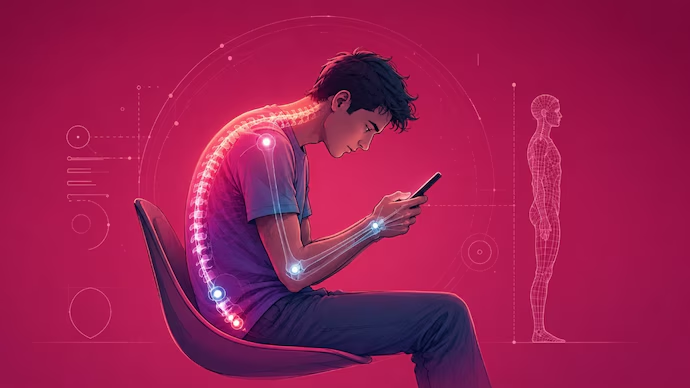
Phones typically get held closer to the face than a laptop or TV would be, whether during a scroll on the sofa, a quick check while lying in bed, or a glance at a message while walking somewhere. This shorter distance adds more strain than people realize, since the eyes have to work considerably harder to maintain focus at such close range compared to a screen positioned further away, where the eye muscles don’t need to contract nearly as much to keep the image sharp.
Most people never consciously choose this closer distance, it simply happens as a natural extension of how a small screen with small text gets held for easier reading. Over the course of a day filled with dozens of these close-up glances, the cumulative strain adds up considerably more than a single, longer session spent at a more comfortable distance ever would.
Small Text and Constant Refocusing
Tiny text and detailed images on a phone require more focus effort than the same content would on a larger screen, forcing the eyes to work harder to pick out small details that would be far easier to read on a bigger display held at a greater distance. This leads to more eye fatigue over the same amount of time, since the eyes are essentially working overtime compared to a similar session spent on a laptop or television, where text and images are typically larger and easier to process without strain.
This effect compounds when someone switches frequently between a phone and a larger screen throughout the day, since each switch demands a different level of focus effort and a different viewing distance, giving the eyes little chance to settle into a single comfortable pattern. A day spent constantly toggling between these different distances and detail levels tends to produce more fatigue than a day spent primarily on one screen type.
The Habits Doing the Most Damage
Scrolling Before Bed
A bright screen in a dark room right before sleep creates a sharp contrast that adds extra strain on top of whatever the day has already caused, forcing the eyes into one final adjustment right when they should be winding down rather than working harder. This combination is particularly hard on the eyes, since they have to adjust sharply between the phone’s brightness and the darkness surrounding it, right before they’re meant to be resting for the night ahead.
This habit also tends to extend screen time later into the evening than most people intend, since a “quick check” before sleep often turns into twenty or thirty minutes of continued scrolling under exactly the conditions most likely to cause discomfort. Breaking this particular habit tends to produce a noticeable improvement in both eye comfort and sleep quality once it’s actually addressed.
Mobile Gaming for Extended Periods
Long, high-focus gaming sessions on a small screen put a particular strain on the eyes, given how much concentrated attention most mobile games demand within such a small viewing area held at close range. This reduces blink rate even more than casual scrolling, since intense, sustained focus during gameplay leaves little room for the eyes to rest even briefly, particularly during fast-paced or competitive games where every moment of attention feels like it matters.
Mobile gaming sessions also tend to run longer than casual scrolling sessions without the player fully realizing how much time has passed, since an engaging game holds attention far more effectively than idle scrolling ever could. This makes it one of the more likely culprits behind a particularly bad bout of eye strain that seems to come out of nowhere by the end of a session.
Checking the Phone Constantly Throughout the Day
Frequent, short bursts of phone use add up across a full day, even though each individual check feels brief and insignificant on its own, lasting only a few seconds or a minute at most before attention shifts elsewhere. This constant switching between near and far focus, glancing at a phone, then back to a screen or task further away, adds cumulative strain that rarely gets noticed until much later in the day, once the accumulated effect of dozens of these small switches has had time to build.
Counting the actual number of times a phone gets checked in a typical day often surprises people once they pay proper attention to the habit, since these checks happen almost automatically and rarely register as a deliberate decision at the time. This constant, low-level engagement throughout the day contributes more to overall eye strain than most people would ever guess.
The Warning Signs Most People Ignore
The Obvious Symptoms
Headaches, blurred vision, and tired eyes often get blamed on general tiredness rather than linked back to phone use specifically, since a busy day offers plenty of other plausible explanations for feeling worn out by evening. These get dismissed rather than connected to the actual cause, mostly because phone use feels too casual and constant to register as a genuine source of strain in the same way a long work session at a computer might.
The predictability of these symptoms, showing up reliably after a day of heavy phone use, rarely gets noticed as a pattern simply because phone use itself feels too routine and unremarkable to flag as a cause worth investigating.
The Subtler Signs
Dry, gritty eyes from reduced blinking during phone use often go unnoticed until they become a regular occurrence rather than an occasional annoyance that fades quickly and gets forgotten. Difficulty focusing on distant objects after a long stretch of scrolling is another subtle sign that tends to pass without much thought, since it usually resolves within a few minutes of looking away from the screen and doesn’t leave much of a lasting impression.
These subtler signs tend to accumulate quietly over weeks and months, gradually becoming a normal part of how the eyes feel rather than a signal that something has changed and might be worth addressing directly.
What Actually Helps
Holding the Phone Further Away
A simple adjustment, holding the phone slightly further from the face than feels immediately natural, reduces strain without needing to change screen habits entirely or give up any of the activities a phone gets used for throughout the day. Most people hold their phones closer than necessary out of habit, largely because closer feels more natural for reading small text without actually being the most comfortable option for the eyes over an extended period.
Practicing this small adjustment consistently, even if it feels slightly unnatural at first, tends to become second nature within a couple of weeks and requires no ongoing effort once it settles into a new habit.
Adjusting Brightness and Text Size
Simple settings changes, such as increasing text size or adjusting brightness to suit the surrounding light, reduce strain during everyday phone use without much effort involved beyond a quick trip into the settings menu. Default settings rarely suit long-term comfortable use, since they’re generally set for visual appeal and battery efficiency rather than genuine eye comfort over extended periods of daily use.
Taking a few minutes to properly configure these settings once, rather than living with defaults indefinitely, tends to produce a noticeable improvement in daily comfort for very little effort spent.
Building in Screen Breaks
Short, regular breaks during long phone sessions give the eyes a chance to reset before strain has a chance to build up unchecked over an extended period of continuous close-up focus. This matters just as much for phone use as for laptop or desktop screen time, even though phone use often feels too brief in each instance to warrant the same kind of break that a longer work session might prompt.
Building this habit specifically around phone use, rather than assuming it only applies to work-related screen time, closes an important gap in how most people currently think about managing daily screen exposure.
Getting the Right Vision Correction
Comfortable contact lenses online or glasses suited for close-up screen use make a real difference for anyone whose daily routine involves hours of phone use across work, messaging, and entertainment combined into one continuous stream of near-constant engagement. An outdated prescription makes phone-related strain worse than it needs to be, since the eyes end up compensating for a correction that no longer matches the demands of near-constant close-up screen work that a typical smartphone-heavy day now involves.
Reviewing whether a current prescription genuinely suits the amount of close-up phone use it now needs to support, rather than assuming an old prescription remains adequate indefinitely, tends to reveal a gap worth addressing for a lot of regular phone users.
How Phone Habits Differ Across Age Groups
Younger Users and Early Screen Exposure
Heavier daily phone use among younger users, often starting at a younger age than previous generations ever experienced, has changed how early eye strain habits begin to form and how long they have to compound over a lifetime. Early, consistent habits matter more the earlier they start, since a lifetime of screen-heavy habits established in childhood tends to carry forward into adulthood largely unchanged unless deliberately addressed at some point.
This shift represents a genuinely new pattern compared to previous generations, who typically didn’t encounter this level of close-up screen exposure until much later in life, if at all during childhood.
Adults Balancing Work and Personal Phone Use
Phone use blends into work tasks on top of personal use for a lot of adults, blurring the line between the two throughout a typical day in a way that makes total exposure difficult to track accurately. This makes total daily screen time harder to track and easier to underestimate, since work-related phone use rarely gets mentally separated from personal scrolling when totalling up the day’s exposure at the end of a typical day.
This blending effect means many adults are dealing with considerably more cumulative phone-related strain than they realize, simply because the work and personal portions never get added together honestly.
Building Phone Habits Into a Wider Screen Time Routine
Looking at Total Screen Time, Not Just Phone Use
Phone use represents just one part of a bigger daily total that also includes laptops, TVs, and tablets across a typical day spent moving between different devices for different purposes. Fixing phone habits alone rarely solves the whole problem, since strain builds cumulatively across every screen used throughout the day rather than from any single device considered in isolation from the rest.
A more complete approach considers the full daily picture rather than treating phone use as a separate category deserving its own isolated set of fixes disconnected from everything else contributing to the same underlying strain.
Setting Realistic Limits Rather Than Strict Rules
Rough daily guidelines that flex with a busy or unusual day tend to work better than rigid limits that get abandoned the first time real life gets in the way of maintaining them perfectly. Flexible limits tend to stick better than rigid ones, since they can bend around an unusually demanding day without collapsing entirely as a habit the moment circumstances change even slightly.
This flexibility matters considerably more than the exact numbers chosen, since a guideline abandoned after the first difficult day provides far less long-term benefit than an imperfect habit maintained consistently over time.
Simple Tools and Settings That Help Long Term
Built-In Phone Features Worth Using
Screen time tracking and night mode settings already exist on most modern phones, offering an easy way to monitor and adjust habits without installing anything extra or spending any additional money on third-party solutions. Most people have these tools available but rarely turn them on, missing out on a simple, already-available way to manage daily phone use more comfortably with almost no additional effort required.
Spending a few minutes exploring what’s already built into a phone’s settings menu often reveals more useful tools than most users expect, sitting unused simply because no one ever mentioned they existed.
Reminders and Apps That Support Better Habits
Simple break reminders or blue light filtering apps offer some extra support for anyone who finds it hard to stick to new habits through willpower alone, providing an external prompt rather than relying on memory during an already busy day. A small external nudge often works better than relying on willpower alone, since a scheduled reminder removes the need to consciously remember a habit throughout an already busy and distracting day.
These tools work best as a temporary scaffold while a new habit forms, rather than a permanent requirement, since most people eventually internalize the habit enough that the reminder becomes less necessary over time.
When to See an Optician
Signs Worth a Proper Check
Persistent discomfort that doesn’t improve with simple adjustments is worth a proper check rather than continued guesswork with settings and habits alone, particularly if the discomfort has lingered for several weeks despite trying some of the fixes already covered. Vision changes that seem to line up with increased phone use are also worth mentioning at an appointment, since they can point to a prescription that needs updating rather than simply reflecting normal daily fatigue.
The Value of a Regular Check
Catching a change in prescription before it causes ongoing strain matters more for heavy phone users than most people assume, given how much close-up focus a typical day of phone use now involves compared to just a few years ago. A routine check, done consistently rather than only once something feels wrong, tends to catch small changes before they become a bigger source of discomfort that has already been quietly building for some time.
The Bottom Line
Smartphones aren’t going anywhere, and for most people, cutting back drastically simply isn’t realistic given how much of daily communication, entertainment, and even work now runs through a phone screen. What actually makes the difference isn’t a dramatic change to how much a phone gets used, but a handful of small, consistent adjustments applied regularly rather than only once discomfort has already set in. Holding the phone a little further away, adjusting brightness and text size to suit actual comfort rather than default settings, building in short breaks during longer sessions, and making sure vision correction genuinely matches current close-up screen demands all work together far more effectively than any single change attempted in isolation.
None of this requires giving up the habits that make a phone such a central, useful part of daily life, whether that means staying in touch with people, catching up on entertainment, or simply filling a spare few minutes here and there throughout the day. It requires a bit more awareness of how these small, frequent moments of phone use add up across a full day, and a willingness to build in the kind of small adjustments that reduce cumulative strain before it becomes something harder to ignore. A regular eye test remains one of the most reliable ways to stay ahead of any changes, catching a shift in prescription or a developing pattern of strain before it starts affecting daily comfort more seriously. Protecting eyesight in a world built increasingly around a smartphone screen comes down to steady, small habits far more than any single dramatic fix, and the earlier these habits get built into a daily routine, the less catching up there is to do further down the line.
