

I accidentally lost an important file from my PC. I don’t have any backup of my lost data. Which free data recovery software should I try?
Losing any file from your device can be distressing, especially if it holds valuable memories, important information or any other crucial data. The situation is even more troublesome when you don’t have any backup of your lost data. Fortunately, several free data recovery software tools are available online that can help you restore your deleted files without any backup.
Among these free data recovery solutions, the Stellar Data Recovery Free, Disk Drill Free, and EaseUS Data Recovery Wizard Free are quite popular. All three promise to recover deleted files from hard drives, SSDs, USB flash drives, memory cards, and other storage devices. But which one offers the best balance of recovery performance, ease of use, features, and limitations?
In this quick guide, we’ll evaluate these free data recovery tools on the basis of their key features, limitations, and best use cases. Carefully compare the features of these three software tools and then choose the one that best fits your needs.
01: Stellar Data Recovery Free
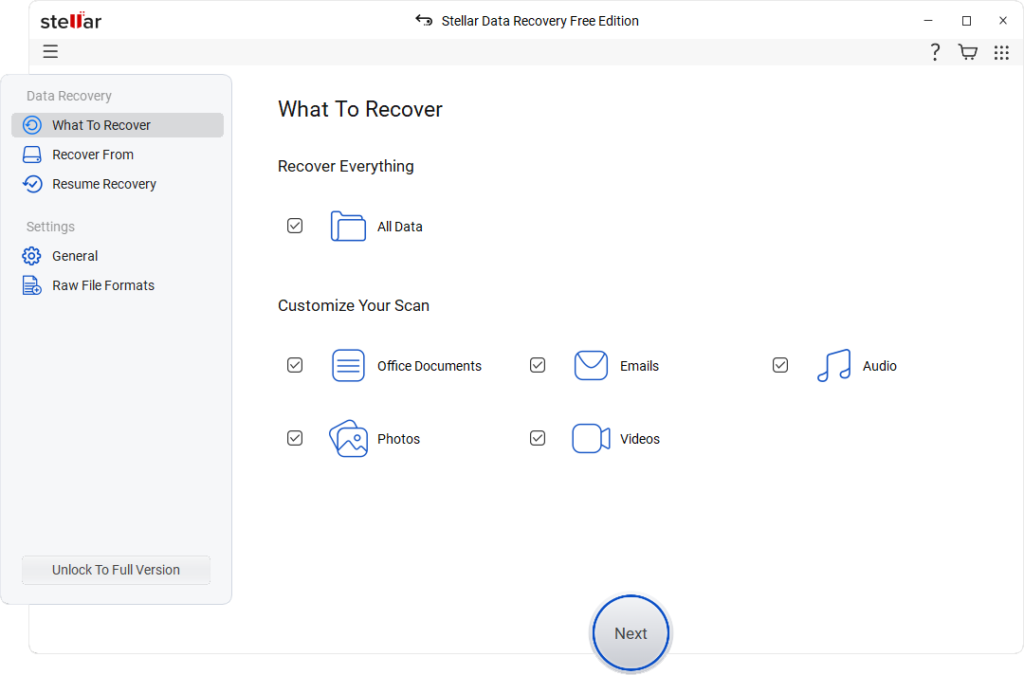
Stellar Data Recovery Free is a popular free data recovery software that you can use to restore files lost or deleted due to accidental deletion, formatting, system error, and other reasons. The software supports recovery of deleted data of various file types, including photos, videos, documents, emails, etc. The free version allows you to restore deleted data of only up to 1 GB of file size. To restore files of larger size, you can upgrade to the premium versions.
One of the amazing features of Stellar Data Recovery Free is its powerful scanning engine. It allows you to choose between Quick Scan for recently deleted files and Deep Scan for formatted, corrupted, or severely damaged drives. If Quick Scan fails to find your recently deleted files, you can use the Deep Scan feature to perform a sector-by-sector analysis, improving recovery success even when the file system is damaged.
Key Features of Stellar Data Recovery Free:
- This free data recovery software allows you to restore deleted files from Windows PCs, laptops, external hard drives, SSDs, USB drives, memory cards, and other storage devices.
- Performs Quick Scan to find recently deleted files and Deep Scan to restore data from formatted, corrupted, or inaccessible drives.
- Compatible with NTFS, FAT32, exFAT, and other common Windows file systems for efficient recovery from various storage media.
- Known for its simple and intuitive interface, which makes data recovery easy even for beginners to recover lost files without technical expertise.
Limitations
- The free version supports recovery of only up to 1 GB of files. You need to upgrade to the premium version to use advanced features.
- Deep Scan may take considerable time on large or heavily damaged drives.
- It may be challenging to restore deleted files which are overwritten by new files.
Best Used For: Recovering accidentally deleted documents, photos, videos, and emails from formatted, corrupted, or inaccessible storage devices.
02: Disk Drill Free
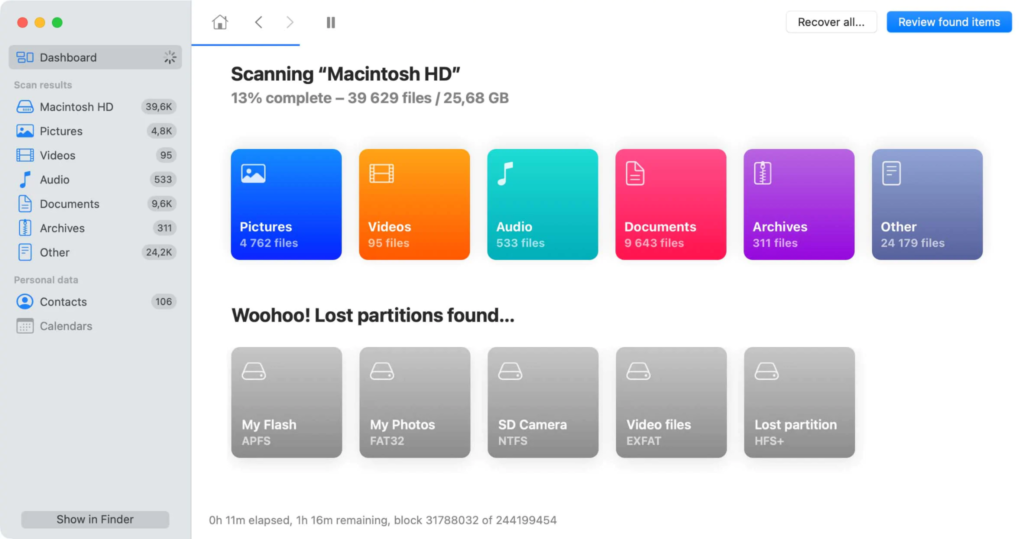
Disk Drill Free is a widely used free data recovery software, known for its capabilities to restore files lost from Windows PC and various storage devices. It supports data recovery from internal hard drives, SSDs, USB flash drives, memory cards, and other internal or external storage devices. Whether your files are deleted accidentally or lost due to system errors, formatting, or a virus attack, this free data recovery solution can help you easily restore them.
Besides data recovery, the Disk Drill Free software provides useful tools like S.M.A.R.T. disk health monitoring and Recovery Vault, which helps improve future recovery chances. This software offers a clean and intuitive interface which makes recovery possible even for beginners. Overall, Disk Drill Free is a reliable choice if you demand an easy-to-use solution for recovering recently deleted files and small amounts of lost data.
Key Features
- It offers both Quick Scan (to find recently deleted files) and Deep Scan (to restore files lost from formatted, corrupted, or inaccessible storage devices).
- Supports data recovery from hard drives, SSDs, USB flash drives, memory cards, external drives, and other commonly used storage devices.
- Includes Recovery Vault technology that helps improve future file recovery by maintaining additional metadata for deleted files automatically.
- Monitors drive health using S.M.A.R.T. technology, which helps you to identify potential storage failures before permanent data loss occurs.
Limitations
- The free version is somewhat limited in terms of file size (up to 500 MB), which is insufficient to restore larger amounts of deleted data.
- Several advanced recovery tools, partition recovery features, and disk utilities require the premium software version.
- Original folder structure and filenames may not always be preserved when file system metadata has been damaged or completely lost.
Best Used For: Restoring recently deleted documents, photos, videos, and other types of files from Windows PCs and external storage devices.
03: EaseUS Data Recovery Wizard Free
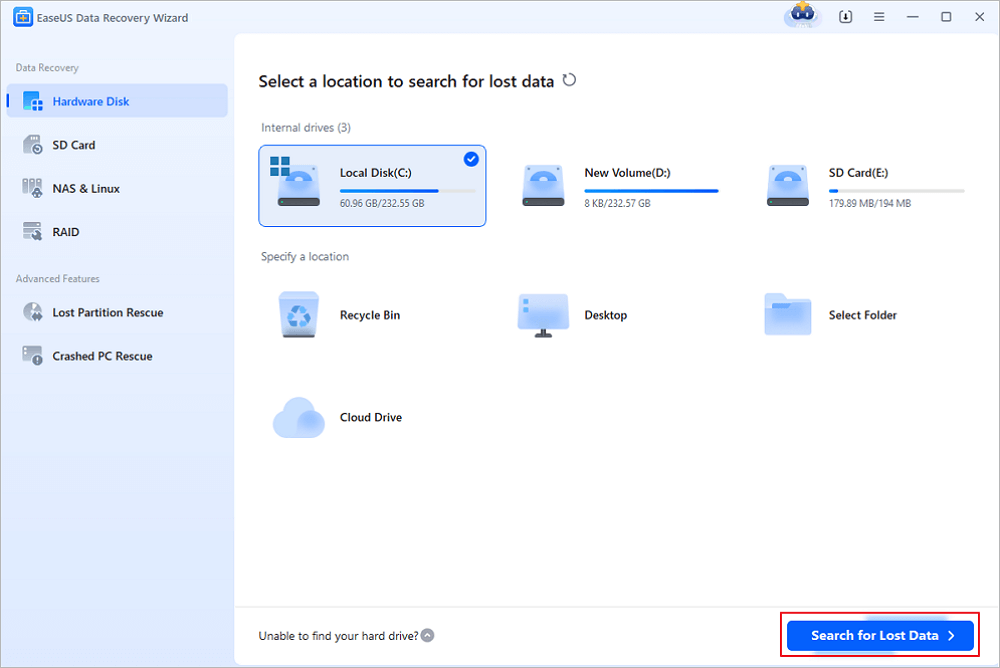
EaseUS Data Recovery Wizard Free is our next popular free data recovery software, which is known for its several amazing features. Whether your files are lost due to accidental deletion, system formatting, virus attack, or any other reason, EaseUS can help you restore them in a few simple clicks. It offers a simple and quick recovery process, which makes it feasible for users of all experience levels. This software can help you restore deleted files of various file types such as photos, videos, documents, and many more.
The EaseUS Data Recovery Wizard Free software automatically performs both Quick Scan and Deep Scan to locate recoverable files. It also allows you to preview the recoverable files before saving them on your PC, preventing unnecessary data restoration. Overall, this free data recovery software is a reliable choice if you are looking to recover a wide variety of file types from different storage devices with minimal technical effort.
Key Features
- Restores deleted data from HDDs, SSDs, USB drives, memory cards, digital cameras, and various internal or external storage devices.
- Features an intuitive interface with guided recovery steps, enabling beginners and professionals to recover lost files without technical expertise.
- Automatically performs Quick and Deep Scans after selecting a drive, simplifying recovery without requiring manual scan configuration or settings.
Limitations
- The free recovery limit may require promotional actions to unlock maximum capacity, creating inconvenience for some users during the recovery process.
- Deep Scan can take considerable time, especially while restoring data from large-capacity drives or severely damaged storage devices with corruption.
- The free version lacks advanced recovery capabilities, bootable media creation, and premium technical support. These features are only available in paid software editions.
Best Used For: Recovering lost files from formatted, corrupted, RAW, or inaccessible partitions using comprehensive deep scanning technology.
Quick Comparison: Stellar Data Recovery vs. Disk Drill vs. EaseUS
Here’s the quick comparison of the aforementioned three popular free data recovery software tools. You can check these features and then choose the one that best fits your needs:
| Feature | Stellar Data Recovery Free | Disk Drill Free | EaseUS Data Recovery Wizard Free |
| Free Recovery Limit | Recovers up to 1 GB free without promotional requirements or additional registrations. | Recovers up to 500 MB free, suitable for recovering smaller deleted files. | Recovers up to 2 GB free after completing promotional tasks or registration. |
| Scanning & Recovery | Quick and Deep Scan recover deleted, formatted, corrupted, and inaccessible drive data efficiently. | Offers Quick and Deep Scan with reliable recovery from various storage devices. | Automatically performs Quick and Deep Scan for a comprehensive deleted file recovery process. |
| Ease of Use | Beginner-friendly interface with guided recovery steps requiring minimal technical knowledge overall. | Modern, clean interface simplifies file recovery for beginners and occasional computer users. | Intuitive interface automatically guides users through scanning and recovery without complex settings. |
| Device & File Support | Supports HDDs, SSDs, USB drives, memory cards, documents, photos, and video recovery. | Supports hard drives, SSDs, USB drives, memory cards, and numerous file formats efficiently. | Supports extensive file formats across hard drives, SSDs, USB drives, and memory cards. |
| Best For | Best for recovering formatted drives, deleted files, and reliable everyday data recovery needs. | Best for recovering recently deleted files with additional disk monitoring capabilities included. | Best for recovering multiple file types from formatted, corrupted, or accidentally deleted storage. |
Which Free Data Recovery Software Should You Opt For?
If you’re still confused about which free data recovery software you should choose to restore your deleted files, don’t worry. Check the following scenarios and then choose the one:
Select Stellar Data Recovery Free if:
- You need to restore files deleted from formatted drives.
- You want a simple interface and advanced features.
- You prefer a generous free recovery limit without extra conditions.
Select Disk Drill if:
- You want a sleek, modern interface with simple navigation and controls.
- You only need to recover a handful of files occasionally.
- You value extra disk monitoring tools for ongoing drive health insights.
Select EaseUS Free if:
- You need to restore deleted files of various file types and different formats.
- You can take advantage of the higher free recovery allowance.
Wrapping Up
Data loss can happen to you at any time. If you ever experience sudden data loss instances, go with the aforementioned free data recovery software tools to restore your deleted files for free. All three tools are capable of recovering deleted files, but they serve slightly different audiences. You can easily compare the features of these free data recovery tools from this guide and then choose the one that best fits your needs. These data recovery tools offer a practical mix of ease of use, comprehensive recovery capabilities, and consistent results, making them an excellent option for recovering lost documents, photos, videos, and other important files.
