

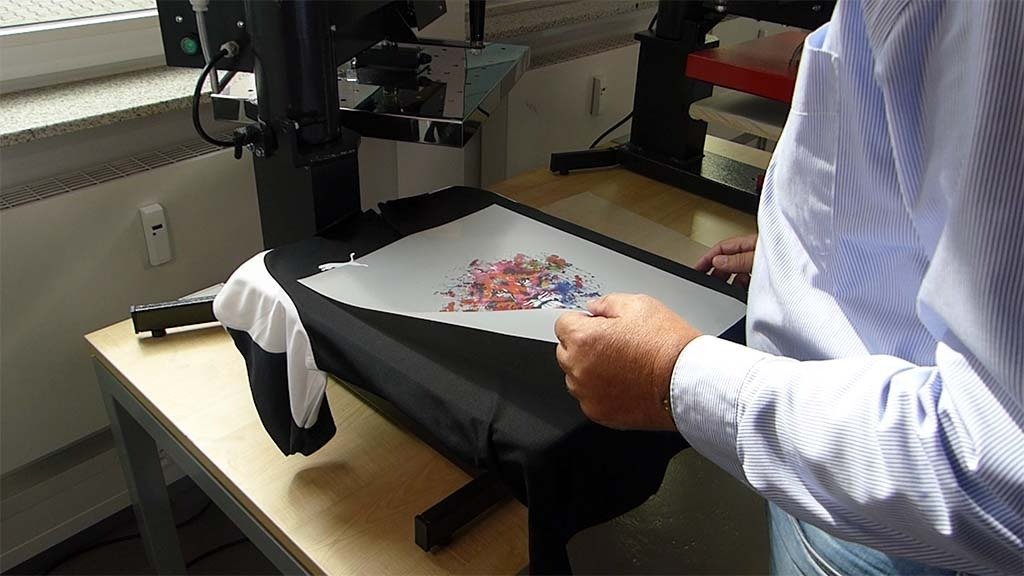
DTF transfers give you bright colors, good detail, and long-lasting prints on many fabrics. But sometimes the results are not perfect – maybe colors look dull, the transfer peels off, or it feels too thick. In 2026, with better inks and powders, you can get pro-level quality even as a beginner. This guide shows you step-by-step ways to make your DTF transfers better. We cover everything from design to pressing. Follow these tips, and your prints will look sharper, stick stronger, and last longer.
Start with High-Quality Designs
The design file is the first thing that affects quality. Use high-resolution images – aim for 300 DPI at the size you plan to print. If the file is low-res, like 72 DPI, it will look blurry or pixelated after transfer. Check your file before printing. Resize in your software without stretching too much.
Choose the right file type. PNG works well because it keeps transparency. For sharp edges, vector files like SVG are best if your software supports them. Avoid JPG if possible, as it can add compression artifacts.
Colors matter too. Use CMYK color mode for printing – RGB on screen looks brighter but prints duller. Test colors on your printer setup. In 2026, many use ICC profiles for accurate matches. Knock out background colors that match the shirt fabric to save ink and make prints softer.
Keep designs simple for best results. Too many fine details can blur. Leave space around edges for clean cuts. High-quality designs set you up for success from the start.
Pick Good Supplies
Supplies make a big difference in quality. Use premium DTF film – good PET film stays flat and handles ink well. Cheap film can wrinkle or cause spots.
Ink quality is key. Go for inks made for DTF. They flow better and give vibrant colors. White ink needs to be thick for coverage on dark shirts. Shake bottles often to prevent settling.
Powder is important for adhesion. Use fine, consistent hot-melt powder. Apply just enough – too little means poor sticking, too much makes it rough. In 2026, new powders bond stronger and feel softer.
For reliable supplies, check out https://www.dtflinko.com/. They have good options that work well together.
Optimize Your Printer Settings
Printer settings control how ink lays on the film. Run nozzle checks daily to catch clogs early. Clean print heads when needed – clogs cause banding or missing colors.
Set the right resolution – 1440 DPI or higher for sharp prints. Adjust ink density so colors are rich but not flooded. Too much ink smudges or bleeds.
For white ink, use underbase settings that match your design. Print white first on dark films. Keep the printer in a clean, dust-free spot. Dust causes white spots. Maintain steady room temp and humidity – extreme changes affect ink flow.
Do test prints on scrap film. Adjust until colors pop and lines are crisp.
Apply Powder the Right Way
Powder application is a common spot for issues. After printing, wait 60-90 seconds for ink to get tacky. Shake powder evenly over the wet ink. Use a shaker or hand method – cover fully but not too thick.
Shake off excess powder gently. Tap the back of the film. Loose powder ruins transfers. Cure the powder right – use a heat tunnel or oven at the right temp (around 250-300°F) for even melt. Under-cured powder leads to weak bonds. Over-curing can make it brittle.
In 2026, auto shakers help get even layers fast. For manual, practice on test prints. Good powder work gives strong adhesion and soft feel.
Nail the Heat Press Settings
Pressing turns your film into a great transfer. Use medium to firm pressure. Too light means poor bond, too heavy can crush details.
Temperature usually sits at 310-320°F (155-160°C). Start at 310°F and test. Time is 10-15 seconds for first press. Many do a cold peel – let it cool fully before peeling.
For best results, pre-press the shirt 5-10 seconds to remove moisture and wrinkles. This helps adhesion. Avoid pressing over seams or thick areas.
After the first press, some do a second press with a cover sheet for a smoother finish. Use Teflon sheet or parchment paper. This reduces texture and makes it feel better.
Test on sample shirts. Each fabric may need slight tweaks – cotton likes higher temp, polyester lower.
Fix Common Problems
Even with good setup, issues pop up. Here are fixes for the most common ones.
Poor adhesion: Check temp, pressure, and time. Make sure powder melted fully. Pre-press shirt. Use fresh powder.
Colors dull or faded: Use high-res files. Calibrate colors. Avoid over-inking. Wash test shirts inside out in cold water.
Blurry prints: Increase DPI. Clean heads. Use better film.
Rough feel: Use less powder. Do a second press with the matte cover. New 2026 inks are softer.
Peeling edges: Ensure full powder coverage. Increase press time slightly.
Spots or dust: Keep the workspace clean. Lint-roll shirts before pressing.
Regular maintenance and tests catch problems early.
Care for Your Finished Transfers
Good care keeps quality high after pressing. Wash shirts inside out in cold water. Use mild detergent – skip bleach or strong soaps.
Air dry or low-heat tumble. High heat can fade colors over time.
Store shirts flat or folded gently. Avoid tight folds on prints.
With right care, transfers last 50+ washes with bright colors and no cracks. For more on durability, see below.
Final Thoughts
Improving DTF transfer quality comes down to small steps done right. Start with solid designs and supplies. Dial in printer and powder steps. Press with care and test often. In 2026, tools and materials are better than ever, so you can get excellent results without years of experience.
Practice on cheap shirts first. Keep notes on what works. Soon, your transfers will look pro – vibrant, soft, and durable. This leads to happy customers and repeat business. Keep tweaking, and your DTF game will level up fast.
